Resource Packs
In Phira you can use custom resource packs. A resource pack includes note skins, particle effects, hit sounds, and more. You can find packs in test groups or channels, or make your own. The following describes the file structure of a resource pack.
Structure
A resource pack is a single zip file containing a config file info.yml and other resource files. Some resource files are required, others are optional.
Resource Files
Required files:
click.pngandclick_mh.png: Click note skin (mh= multi-hand);drag.pnganddrag_mh.png: Drag note skin;flick.pngandflick_mh.png: Flick note skin;hold.pngandhold_mh.png: Hold note skin;hit_fx.png: Hit effect image.
Optional (defaults used if missing):
click.ogg,drag.ogg,flick.ogg: Hit sounds for each note type. Sample rate must be 44100 Hz, or prpr-render may crash;ending.ogg: Result screen background music.
Configuration
The config file is in YAML. Required fields (example for the default pack):
yml
name: Default
author: "Mivik & MisaLiu"
hitFx: [5, 6]
holdAtlas: [50, 50]
holdAtlasMH: [50, 110]name: Pack name;author: Pack author;description: Pack description;hitFx: Number of frames (width, height) for the hit effect. The hit effect is a multi-frame animation in one image, so you specify how many frames per row and column. For example, in this imagethe horizontal and vertical frame counts are 5 and 6 (the last row is barely visible but present) (the image uses a black background for clarity; use a transparent background when making packs);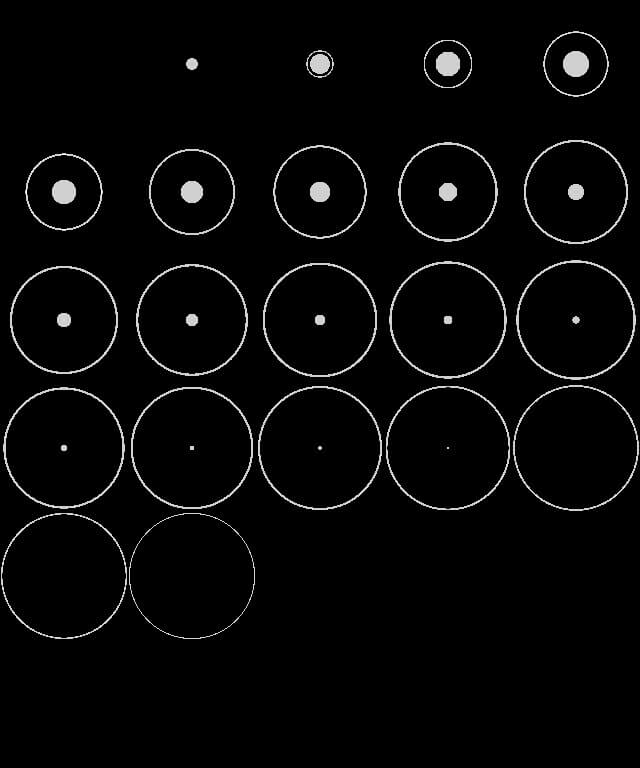
holdAtlas: Tail and head height of the Hold texture. The Hold skin is one image with tail, body, and head from top to bottom. The two numbers inholdAtlasare the tail and head heights in pixels. For example, in this image, both are 50 pixels;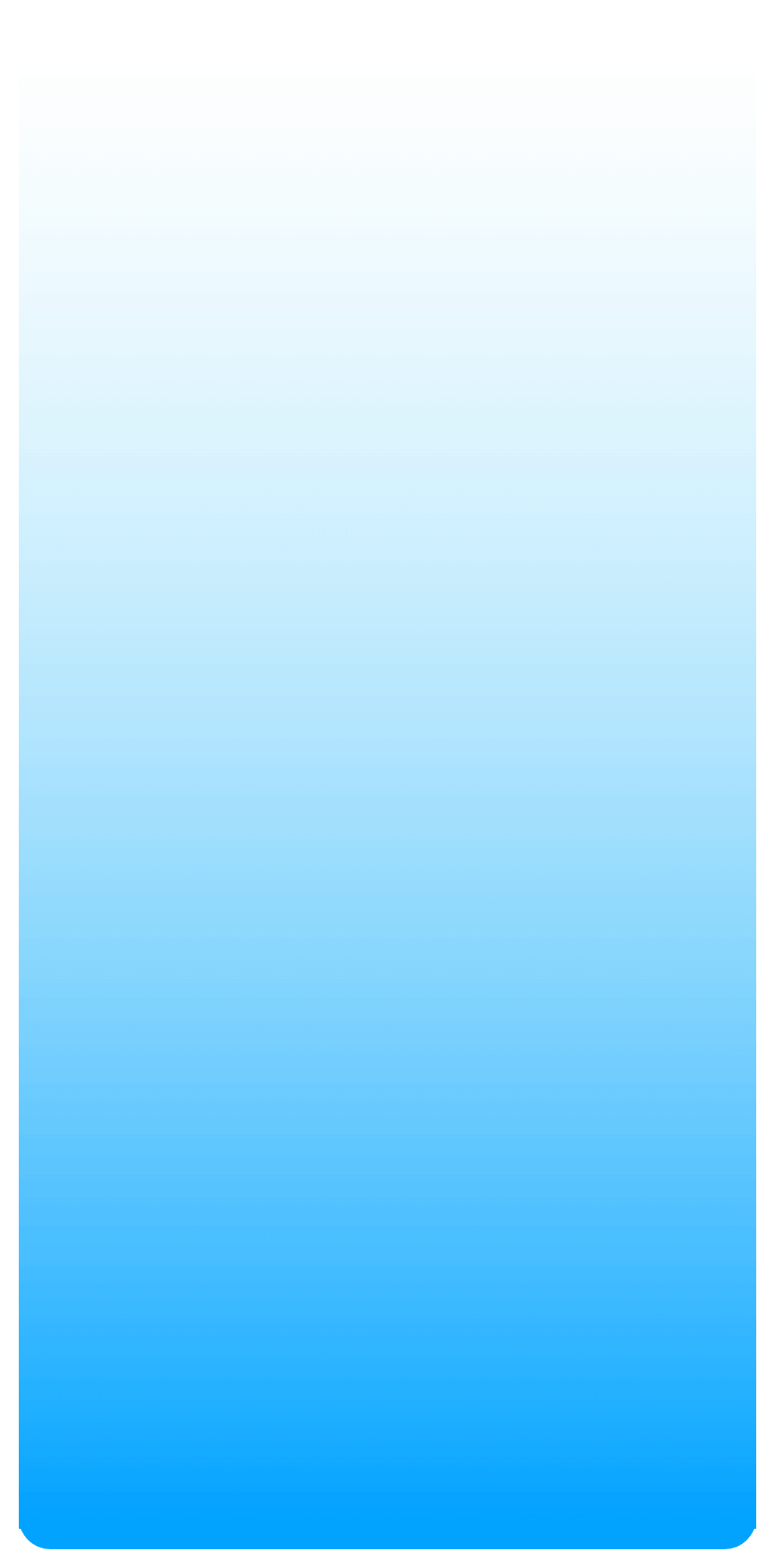
holdAtlasMH: Same idea for multi-hand Hold.
Optional fields:
hitFxDuration(float, default0.5): Hit effect duration in seconds;hitFxScale(float, default1.0): Hit effect scale;hitFxRotate(bool, defaultfalse): Whether hit effect rotates with the note;hitFxTinted(bool, defaulttrue): Whether hit effect is tinted by judge line color;hideParticles(bool, defaultfalse): Hide square particles on hit;holdKeepHead(bool, defaultfalse): Whether to show Hold head after it reaches the line;holdRepeat(bool, defaultfalse): Whether Hold body uses repeated stretching. In these imagesleft to right: Hold resource image, bar without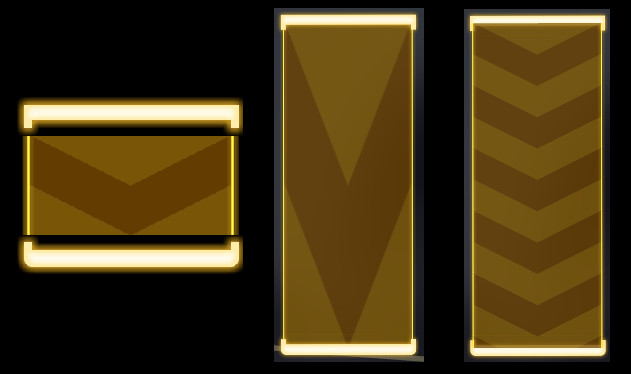
holdRepeat, bar withholdRepeat;holdCompact(bool, defaultfalse): Whether to overlap Hold head and tail with the body (center anchor). Using the same example, withoutholdCompactyou get the left figure with head/tail separated; the right two figures showholdCompactenabled;colorPerfect(hex color, default0xe1ffec9f): Judge line color for AP (All Perfect);colorGood(hex color, default0xebb4e1ff): Judge line color for FC (Full Combo).